Presentation script template
A presentation script has three jobs: an opening that tells the room why this matters to them, signposts that say where you are ("First…", "That’s the cost. Now the fix."), and a closing that repeats the one thing to remember and asks for something. Budget 140 words per minute, so a 2-minute talk is about 280 words. For reading it during slides, see how to use a teleprompter for a presentation.
Target: 2 minutes, about 280 words at 140 words per minute · Example below: 263 words, about 1 min 53 s
How long it should be
At 140 words per minute, 2 minutes is 280 words, 5 minutes is 700, 10 minutes is 1,400 and 20 minutes is 2,800.
Slide changes, a laugh, a question from the floor: all of them eat time. Write about a tenth under your slot and you will finish when you are meant to.
The structure
-
Opening (20–30 seconds)
A question, a fact from the audience’s world or a problem they recognise. Introduce yourself after that, briefly, unless the host already has.
-
Roadmap
"I'll cover three things." One sentence that lets people relax, because they know where this is going.
-
Sections, each with a signpost
Every section starts with a line that names it and ends with a one-line summary. On paper this looks repetitive. Listeners cannot scroll back, so they need it.
-
Closing
The one thing to remember, said in a line short enough to repeat, then the ask: a decision, a volunteer, a next meeting. Then thank people.
Template
Replace everything in {braces}. Lines in [square brackets] are cues: they show faintly on the prompter and are never read or counted. Keep, change or delete them. New to the format? See how to format a teleprompter script.
[slide 1: title]

{A question or fact your audience cares about}.

[pause]

Today I want to show you {what this talk gives them},
so that {what they can do afterwards}.

I'll cover three things:
{part one}, {part two} and {part three}.

[slide 2]

First, {part one}.

{Your main point, in one sentence}.
{One example or number that shows it}.

So that's {part one, summed up in a line}.

[slide 3]

Next, {part two}.

{Main point}.
{Example}.

[slide 4]

Finally, {part three}.

{Main point}.
{Example}.

[slide 5: your key message on screen]

If you remember one thing from today,
make it this:
{your key message}.

What I'm asking for is {the decision, help or action you want}.

[pause]

Thank you. Tapping copies your script first. Paste it into a new script in OwlPrompter (free, no account).
Example: proposing a change at a team meeting
A team lead has two minutes at a monthly department meeting to propose replacing the weekly status meeting.
[slide 1: title]

How many hours did this team spend
in status meetings last month?

[pause]

I added it up from our calendars,
and it came to just over sixty.

Today I want to suggest a change
that gives most of those hours back,
without anyone losing track of what's going on.

I'll cover three things:
what the meeting costs us,
what we'd do instead,
and how we'd try it without any risk.

[slide 2: the cost]

First, the cost.

Our Monday status meeting has twelve people in it
and runs for seventy-five minutes.

For most of that time,
ten people are listening to an update
that only matters to two of them.

So that's the problem:
a lot of time, spent mostly waiting.

[slide 3: the alternative]

Next, what we'd do instead.

Every Friday, each of us writes three lines
in the team channel:
what we finished,
what we're starting,
and where we're stuck.

On Monday, we meet for twenty minutes,
and only to talk about the stuck items.

Everything else, you read when it suits you.

[slide 4: the trial]

Finally, how we'd try it.

I'm proposing a four-week trial,
starting the first Monday of next month.

At the end, we run a two-question survey:
did you know what was going on,
and did you get time back?

If most people say no to the first question,
we go back to the old meeting.
No debate needed.

[slide 5: "Three lines on Friday. Twenty minutes on Monday."]

If you remember one thing from today,
make it this:
three lines on Friday,
twenty minutes on Monday.

What I'm asking for is a yes from this group
to run the four-week trial.

[pause]

Thank you.
I'm happy to take questions.
Tapping copies your script first. Paste it into a new script in OwlPrompter (free, no account).
Opening a script in the browser replaces the one saved in the online teleprompter on this device. Nothing is uploaded.
Read it on your phone
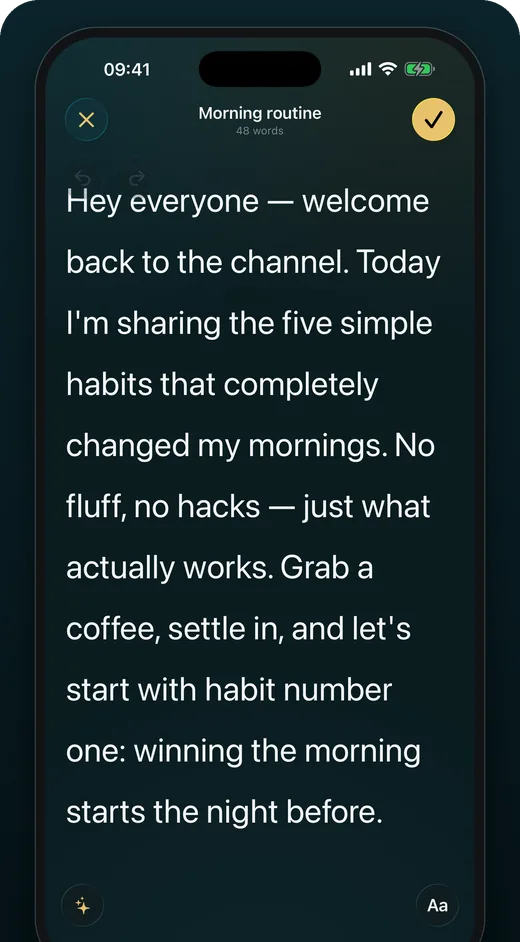
Rehearsing a talk? Put the script in OwlPrompter on your phone, set your words per minute and run it end to end to see whether it fits the slot. If it is already written, import it from PDF, DOCX, TXT or RTF. Presenting over a call? See how to use a teleprompter with Zoom.
OwlPrompter is free with no account, for up to 3 scripts, with recording, a Delivery Score and an .srt file with every take. Voice scroll (the script follows your voice) and eye-contact mode are part of Pro, and both Pro plans, monthly and yearly, start with a 7-day free trial for new subscribers.
Tips for presenting from a script
-
Write signposts you would never put in an essay
"That's the cost. Now the fix." reads as clumsy on paper and sounds clear out loud. If a listener drifts for ten seconds, a signpost brings them back.
-
Put the slide changes in the script
A [slide 3] cue on its own line stops you talking over the wrong slide. Cues in brackets are not counted toward the time.
-
Do not read the slides aloud
Keep on-screen text to a phrase or a number. The script carries the explanation; the slide gives people something to look at while you say it.
-
Learn the opening and closing word for word
Nerves peak in the first 30 seconds and the last line is what people repeat afterwards. The middle can run from the signposts alone once you have rehearsed it.
-
Take questions, then close again
If the last thing people hear is the last question, your point gets lost. After the Q&A, say your one-line takeaway once more.
Questions
How many words is a 5-minute presentation?
About 700 words at 140 words per minute, and about 1,400 for 10 minutes. Some people present nearer 120, so time a draft at your own pace with the speech timer.
Should I read my presentation word for word?
For a recorded or online presentation, reading from a prompter near the camera works well. In a room, most people do better with the full script for the opening and closing and only the signposts for the middle.
How do I start a presentation script?
With something the audience already cares about: a question, a number from their world or a problem they recognise. "Hi, my name is…" can come second, in one sentence.
Finished your draft? Check its length in the speech timer, then rehearse it in the free online teleprompter or in the app.