Offline-first · No account · AI only when you start it

The teleprompter that follows your voice.
And keeps your eyes on the lens.

Speak and the script scrolls with you; pause and it waits. Then AI eye contact turns your gaze back to the camera after you record, so you can read every word and still look your audience in the eye. For iPhone, iPad, Mac and Android — AI on iPhone and iPad.

Free to use without an account. The AI Yearly plan starts with a 7-day free trial on iPhone and iPad.

Rated 4.8 out of 5 on the App Store · 13 ratings

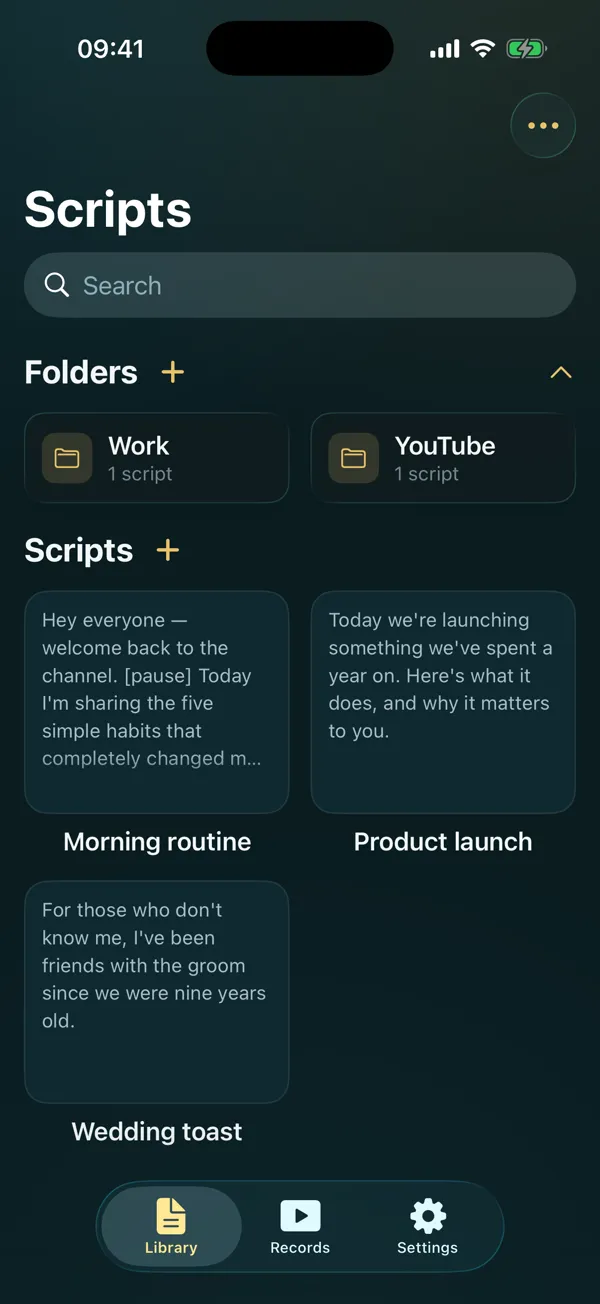
The OwlPrompter script library, with folders and saved scripts

New · AI eye contact

Read every word. Look at the lens anyway.

A teleprompter puts your script next to the camera, but your eyes still drift down to read it. AI eye contact fixes that after you record: it turns your gaze back to the lens and saves the result as a new take, so the original is never touched.

  • Works on takes you record in OwlPrompter on iPhone and iPad
  • About 5 credits per minute — a month of AI covers roughly 24 minutes
  • Uploaded only when you start it, deleted within 24 hours
Left: reading the script below the lens. Right: the same take after AI eye contact. Stock clip, corrected by OwlPrompter.

Stop memorising. Just say it.

A teleprompter should disappear into the take. OwlPrompter tracks your voice and your eyes, so the words are always where you are — and the prompter itself runs entirely on your phone.

1

Record straight from the app

Film yourself while you read, with the script sitting right next to the lens. Filters, virtual backgrounds and captions are baked into the file — what you see in the preview is what you get in the export.

2

Go live, or read for someone else

Stream straight to TikTok, Facebook, YouTube or any RTMP server in a tap. Or leave the prompter running on screen while you present, record elsewhere, or shoot on a rig.

Everything you need

A teleprompter built around how people actually talk

Voice scroll

The script follows your voice, not a stopwatch

A fixed-speed prompter scrolls at a speed you guess in advance, so you spend the take chasing the text. OwlPrompter listens instead.

  • Matching your words to the script happens on your device; speech recognition does too wherever your language supports it
  • Pause to think and the scroll waits; pick up and it comes with you
  • Adaptive pacing gives dense lines more time than short ones
  • Tap any word to jump straight there
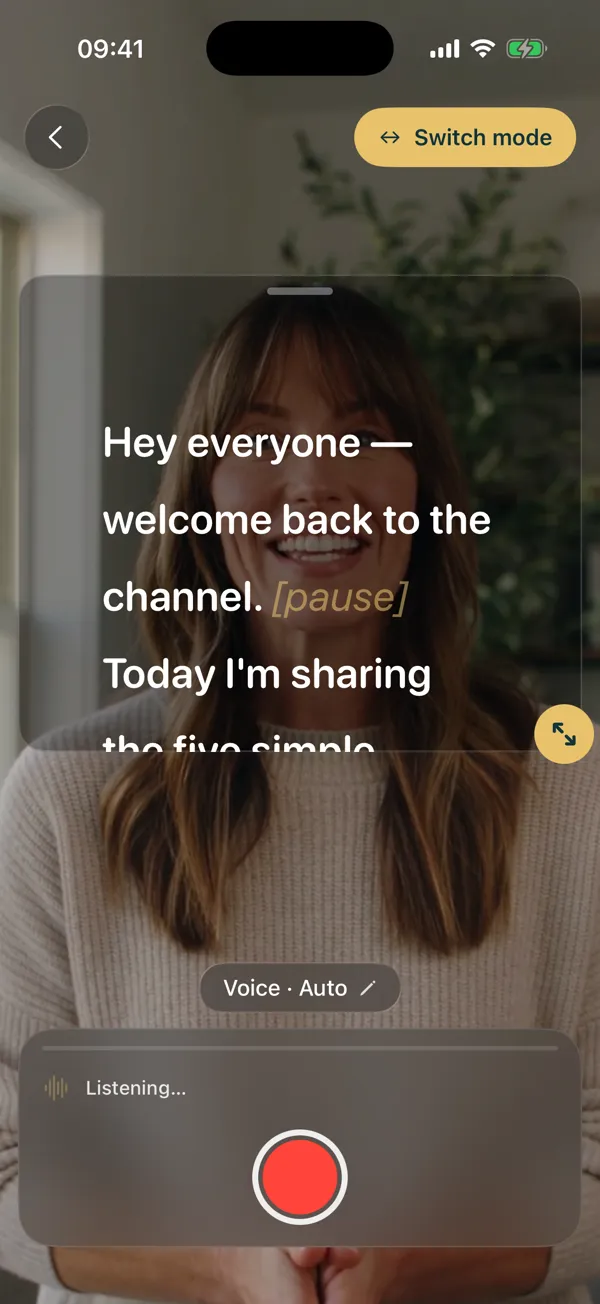
The prompter in voice mode, listening, with the script over the camera view

Eye-contact mode

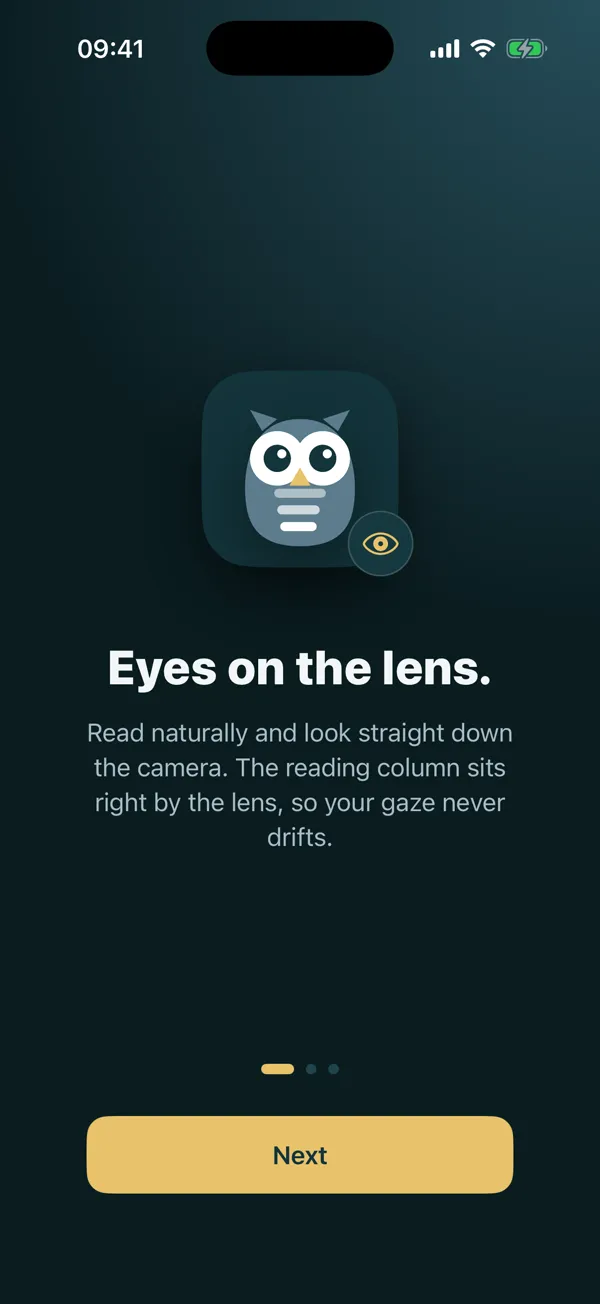
Look away and the scroll holds

Turn to your notes and a fixed-speed prompter keeps going while you lose your place. This one notices and stops.

  • Holds the line when you turn away from the camera
  • Resumes when you look back — no button, no remote
  • Runs entirely on the device camera; nothing is recorded or uploaded
  • Different from AI eye contact, which corrects your gaze in a recording afterwards
The app’s eye-contact screen: the reading column sits right by the lens

Recording

What you see in the preview is the video you get

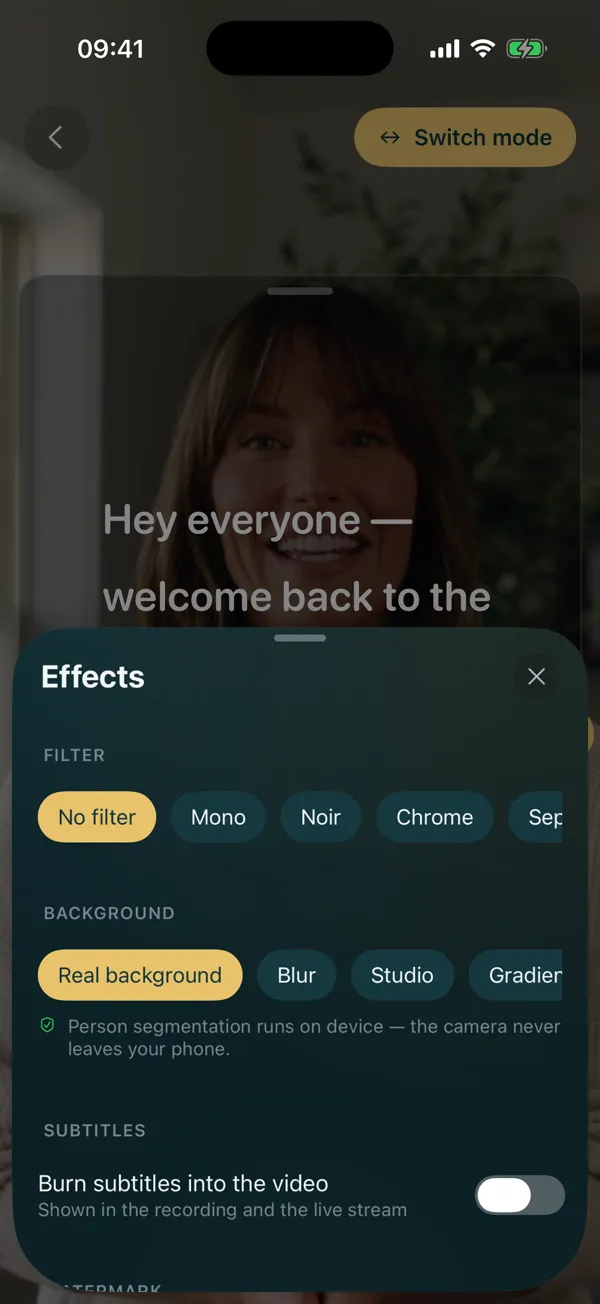
Filters, background blur and captions are rendered into the recording itself, so there is no surprise when you open the file.

  • Virtual and blurred backgrounds, applied live
  • Captions burned into the picture, plus a matching .srt file with every take
  • [Bracketed] stage cues show faintly on screen and never appear in the video
The recording effects panel: filters, backgrounds and burned-in subtitles

Live streaming

Go live with your script on screen

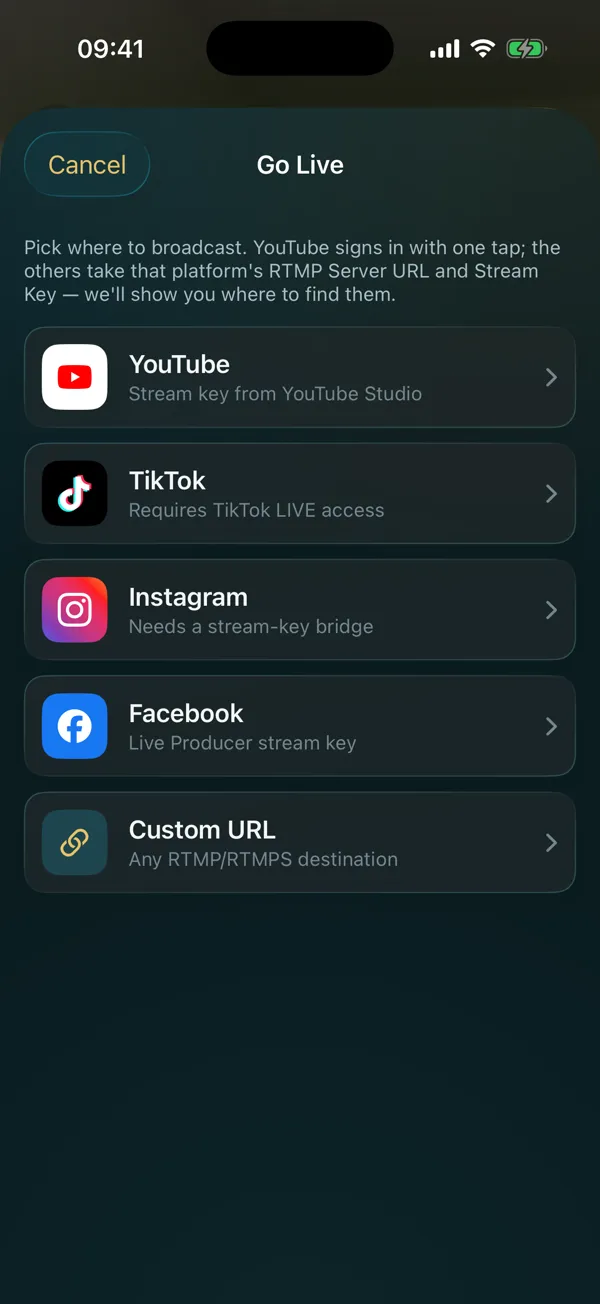
Paste a stream key once and broadcast with the prompter running — the audience sees the camera, you see the words.

  • Any RTMP or RTMPS destination: TikTok, Facebook, YouTube, custom servers
  • Reconnects on its own when the network drops mid-broadcast
  • Keeps streaming when you leave the app to check something
The Go Live sheet listing YouTube, TikTok, Instagram, Facebook and a custom RTMP URL

Delivery Score

A report card after every take

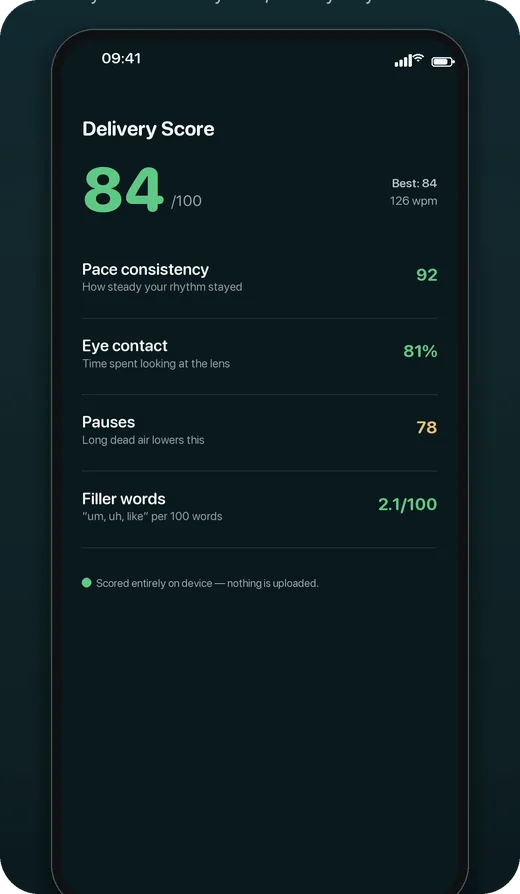
You get a score out of 100, with eye-contact percentage, pace consistency, where you paused and which filler words crept in — so the second take is better than the first.

  • Scored on your device; no audio, video or text is uploaded
  • Free on every plan, not held back for Pro
  • Pro adds one-tap removal of “um”, “so” and dead air
A Delivery Score of 84 out of 100, broken into pace, eye contact, pauses and filler words

Scripts

Your scripts stay on your phone

There is no account to create, no sync to switch off and no server of ours holding your words. Import what you have and it stays where you put it.

  • Import from 4 formats — PDF, DOCX, TXT and RTF — with every character right
  • Folders and search across your library
  • Your scripts stay on the device unless you export them or send one to an AI feature yourself
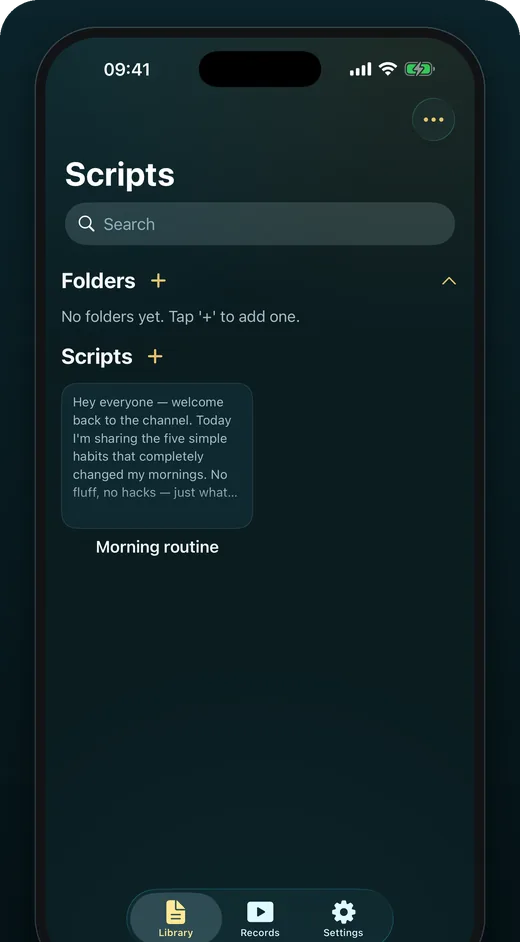
The script library, with folders, search and saved scripts

OwlPrompter AI · iPhone and iPad

From blank page to finished video

Optional AI that only runs when you start it. Templates are free for everyone; the rest comes with OwlPrompter AI.

AI eye contact

Read your script, look at the lens

Record while you read, then let AI turn your eyes back to the camera. The corrected video is saved as a new take; your original stays untouched.

How AI eye contact works →

AI captions

Captions that keep people watching

Every word transcribed with its timing, in five styles from Classic to Karaoke. Fix a word inline, translate into another language, and burn them in when you export. Only the sound of the take is uploaded.

Create with AI

A script in your voice, in seconds

Say what the video is about, pick the platform, length and tone, choose one of three openings, and get a script sized to your speaking pace. Then make it shorter, punchier or more casual. Anyone can try 3 drafts free.

Templates · free

Eight templates to start from

Short video, YouTube intro, explainer, product demo, sales pitch, LinkedIn post, testimonial and presentation opener — each laid out in sections with a target length. Free, and they never leave your phone.

From the App Store

Rated 4.8 out of 5 by early users

13 App Store ratings so far, as of October 2026. A few of the written reviews:

★★★★★
“You can change the pace for the script and coordinate with it.”
App Store review, Türkiye
★★★★★
“Being able to use an app without signing up is a big convenience.”
App Store review, Türkiye · translated from Turkish
★★★★★
“It has helped me incredibly with my live streams.”
App Store review, Türkiye · translated from Turkish

Read all reviews on the App Store →

Built in, not bolted on

Designed so reading is the easy part

A prompter is only as good as the moment you can read it under pressure. Type size, contrast and the interface language are all first-class settings, in 11 languages.

Type that scales Oversized text that rewraps cleanly at any size.
11 languages The whole interface, not just the marketing page.
Calm under pressure Controls stay reachable while the camera is rolling.
Works offline Prompting and recording keep working with the network off.

No account. AI only when you ask. Your scripts stay yours.

The prompter, eye-contact mode and Delivery Score run on the device, and so does voice tracking wherever your phone supports on-device recognition for your language. Your scripts and recordings are stored on your phone. The AI features upload only the take or text you start them on, delete it within 24 hours and never use it to train AI — and one switch turns them off.

Read the privacy policy → Who makes OwlPrompter →

Plans

Free to use. Pro or AI when you need them.

Pro is the complete teleprompter. AI adds eye contact, captions and script writing, with 120 credits every month. The AI Yearly plan starts with a 7-day free trial on iPhone and iPad. See current pricing in the app.

Free

The basics

No account, no watermark.

  • Speed and timed scrolling, at your own words-per-minute
  • Up to 3 scripts, and 8 script templates
  • Video recording with filters
  • PDF, DOCX, TXT and RTF import
  • Delivery Score after every take
  • A matching .srt subtitle file with every take
  • 3 free AI script drafts (iPhone and iPad)

Pro

Full prompter

Pro Monthly. Cancel anytime.

  • Voice scroll — the script follows you as you speak
  • Eye-contact mode — the scroll holds when you look away
  • Unlimited scripts
  • Captions burned into the video
  • Virtual and blurred backgrounds
  • Live streaming to any RTMP server
  • One-tap removal of filler words and dead air

Frequently asked questions

Is OwlPrompter free?

Yes. The free tier gives you speed and timed scrolling, video recording with filters, document import, templates, Delivery Score, up to 3 scripts and 3 free AI script drafts — with no watermark on your recordings. Pro adds voice scroll, eye-contact mode, unlimited scripts, burned-in captions, live streaming and filler-word removal (Pro Monthly). OwlPrompter AI adds AI eye contact, AI captions and AI writing, billed monthly or yearly (iPhone and iPad). See current pricing in the app.

What is AI eye contact?

You read your script on screen, below or beside the lens, so in the video your eyes look down. After you record, AI eye contact redraws your eyes so they look at the camera, and saves the result as a new take next to the original. Results depend on lighting, framing and head movement: strong head turns, some glasses and dim light can make it less convincing. It is part of OwlPrompter AI on iPhone and iPad.

Does it still work offline?

Yes. Everything works offline — prompting, recording, eye-contact mode, templates and Delivery Score run on your device with no connection, and voice scroll does too wherever your phone offers on-device speech recognition for your language. The AI features are optional and only run when you start them; they need a connection, and so does live streaming.

What happens to my video when I use an AI feature?

Nothing is uploaded until you start an AI feature and agree to what it sends. Eye contact uploads that one take; captions upload only its sound; AI writing sends the text you type or the script you rewrite. Uploads are deleted within 24 hours and are never used to train AI models. You can turn cloud AI off completely in Settings.

How do AI credits work?

OwlPrompter AI includes 120 credits a month. AI eye contact uses 5 credits per minute of video and captions 1 per minute, so a month covers about 24 minutes of eye contact or two hours of captions. The app shows the cost before you start, unused credits roll over up to 240, a failed job gives them back, and packs of 60 or 200 credits in the app top you up. Script drafts don’t use credits.
See all questions →

Your next take can be your first take.

Free on the App Store and Google Play. Try OwlPrompter AI on iPhone and iPad free for 7 days.