Webinar opening script
The first two minutes of a webinar, about 280 words, have to welcome people while others are still joining, cover housekeeping in one breath (audio, questions, recording), say exactly what attendees will leave with, introduce the host briefly and move into the first point. Give early arrivals something to do, like a question in the chat, and save the main content until the room has filled up.
Target: 2 minutes, about 280 words at 140 words per minute · Example below: 190 words, about 1 min 21 s
How long it should be
At 140 words per minute, two minutes is 280 words. Live, you will lose time to "can everyone hear me?" and reading the chat, so script about two-thirds of that and let the chat fill the rest.
Keep a one-line version of the promise handy. On a long session or a public stream, people arrive throughout, and repeating it every so often helps them catch up.
The structure
-
Welcome and a chat question
Something easy and related to the topic, so the people already there have something to do while others join.
-
Housekeeping, in one breath
Audio, where questions go, and whether it is recorded. Nothing else.
-
The promise
What attendees will know or have by the end. Outcomes, not a list of topics.
-
Who you are
Two lines on why you are the person to teach this.
-
Agenda and handoff
Three parts and when the Q&A is, then straight into the first one.
Template
Replace everything in {braces}. Lines in [square brackets] are cues: they show faintly on the prompter and are never read or counted. Keep, change or delete them. New to the format? See how to format a teleprompter script.
[smile, camera on, wait three seconds]

Hi everyone, and welcome to {webinar title}.

While people are still joining,
tell me in the chat:
{an easy question tied to the topic}?

[read two or three answers aloud]

A few quick things before we start.
{Audio note}.
Questions go in {the Q&A box or the chat},
and I'll answer them {when}.
And yes, this is being recorded;
{when and how people get the recording}.

[pause]

By the end of the next {length},
you'll know {outcome one}
and {outcome two},
and you'll leave with {something concrete}.

I'm {name}.
{One or two lines on why you're the person to teach this}.

[slide: agenda]

We'll cover three things:
{part one},
{part two},
and {part three}.

[slide: part one]

So let's start with {part one}. Tapping copies your script first. Paste it into a new script in OwlPrompter (free, no account).
Example: a free training session for small charities
A grants adviser opens an hour-long webinar for volunteers at small charities who are writing their first grant application.
[smile, camera on, wait three seconds]

Hi everyone, and welcome to
"Your first grant application, without the panic."

While people are still joining,
tell me in the chat:
which part of a grant form do you dread the most?

[read two or three answers aloud]

Budgets. I can see a lot of budgets.
Good, we'll get there.

A few quick things before we start.
Your microphones are muted,
so don't worry about background noise.
Questions go in the Q&A box,
and I'll answer as many as I can in the last fifteen minutes.
And yes, this is being recorded;
everyone who registered will get the link by email tomorrow.

[pause]

By the end of the next hour,
you'll know how to read what a funder is really asking for,
and how to write an outcome they can measure,
and you'll leave with a one-page checklist
to go through before you press submit.

I'm Nadia Brooks.
I spent eight years on the other side of the table,
reading applications for a community foundation,
so I've seen what gets funded and what gets put aside.

[slide: agenda]

We'll cover three things:
reading the brief,
writing outcomes,
and the budget everyone dreads.

[slide: reading the brief]

So let's start with the brief.
Tapping copies your script first. Paste it into a new script in OwlPrompter (free, no account).
Opening a script in the browser replaces the one saved in the online teleprompter on this device. Nothing is uploaded.
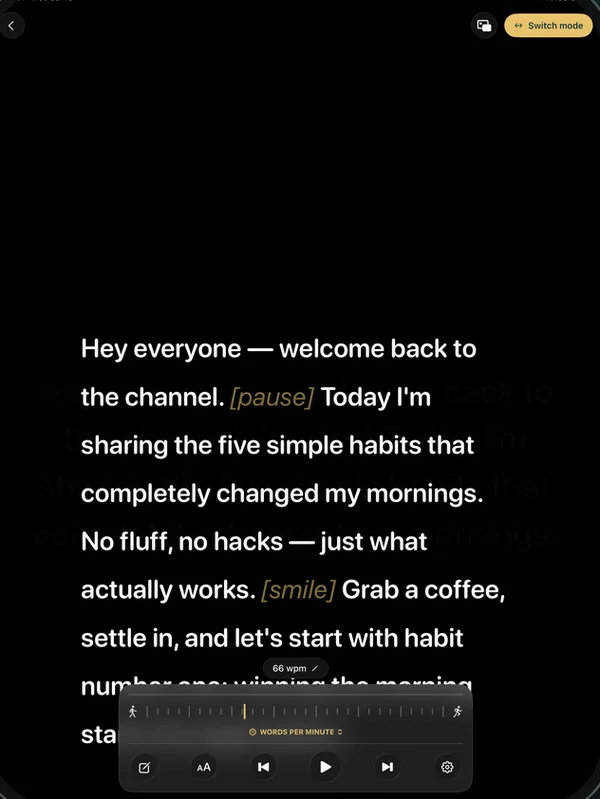
Read it on your phone
Hosting from a laptop? OwlPrompter for Mac has a floating prompter window that stays on top of other apps just under the camera, so you can read while you present in Zoom, Google Meet or Teams. On a phone, put it next to the webcam.
OwlPrompter is free with no account, for up to 3 scripts, with recording, a Delivery Score and an .srt file with every take. Voice scroll (the script follows your voice) and eye-contact mode are part of Pro, and both Pro plans, monthly and yearly, start with a 7-day free trial for new subscribers.
Tips for opening a webinar or live stream
-
Give early arrivals something to do
A chat question turns dead air into the start of the session, and reading a few answers aloud tells people someone is listening.
-
Housekeeping in one breath
Audio, questions, recording. Anything more, like the full agenda or a sponsor message, can wait until after the promise.
-
Promise outcomes, not topics
"You'll know how to write an outcome a funder can measure" keeps people for the hour. "We'll talk about grants" does not.
-
Look at the lens, not the faces
On Zoom or Teams the gallery pulls your eyes away from the camera. Put the script as close to the lens as you can; how to use a teleprompter with Zoom shows the set-ups.
-
Script the opening, not the Q&A
The first two minutes and the closing line benefit from a script. The questions are where you sound most like yourself, so leave them free.
-
Write a line for when the tech fails
Add a fallback under the opening, like "While that loads, tell me in the chat…". Having the words ready keeps you calm when slides freeze.
Questions
What should I say at the start of a webinar?
Welcome people, give them a question to answer in the chat while others join, cover housekeeping in a sentence or two, say what they will leave with, introduce yourself briefly and start the first point by the end of the second minute.
How do I read a webinar script without looking down?
Put the script as close to the camera as you can: a prompter window just under the webcam on a laptop, or a phone prompter next to it. See teleprompter for Zoom for set-ups that work.
Does the same opening work for a live stream?
Mostly. On a public stream, people arrive throughout, so repeat the one-line promise every few minutes and skip housekeeping that only applies to registered attendees.
Finished your draft? Check its length in the speech timer, then rehearse it in the free online teleprompter or in the app.