Voice scroll
A voice-activated teleprompter that scrolls as you speak
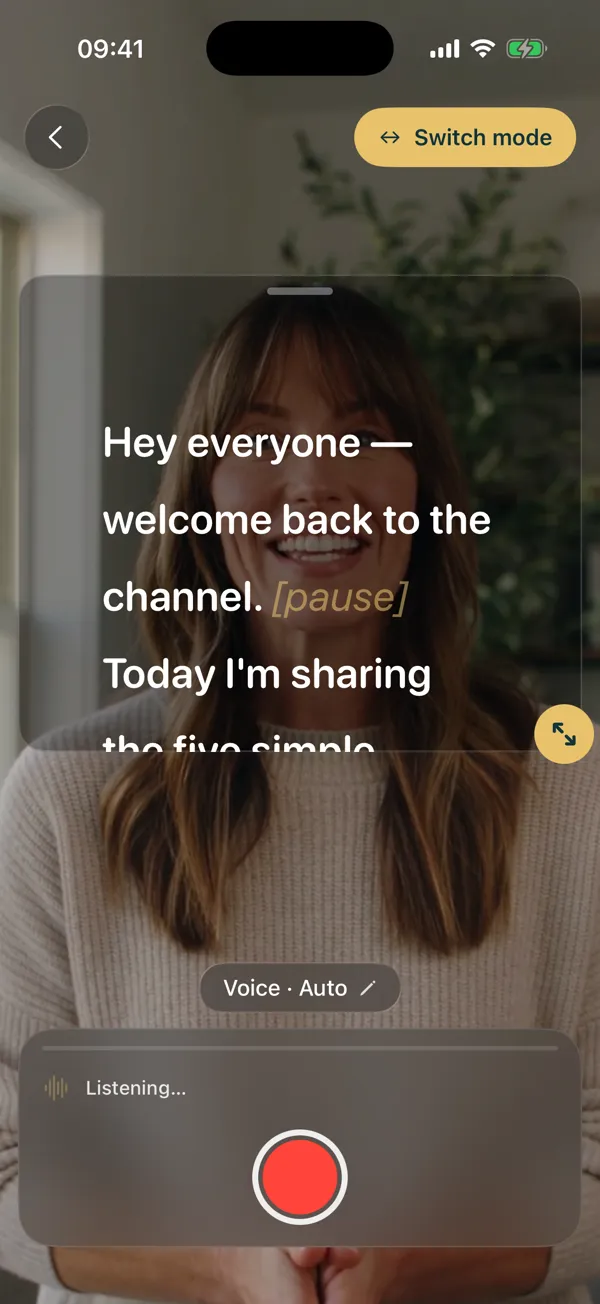
Voice scroll listens through your device’s own speech recognition, matches the words you say against your script, and moves the text to where you are. Pause to think and it waits; go off-script and it does not drag the text along. It is part of OwlPrompter Pro on iPhone, iPad and Android.
How it keeps up with you
The words you say are matched against the script on your device, looking a little behind and well ahead of the current line, and the scroll only moves when the match is confident. Between words it moves gently at your measured pace, then settles on the last word it confirmed.
- Follows your words, not a timer
- Moves only on a confident match
- Smooth motion at your own pace
Pauses, ad-libs and skipped lines
Stop talking for about a second and the scroll stops with you. Words that are not in the script are absorbed instead of moving the text, and a jump of more than a few lines needs extra confirmation before the prompter follows. It never scrolls backwards on its own — tap any word to jump there, back or forward, and it picks up from that word.
- Holds after about a second of silence
- Ad-libs do not drag the text
- Tap a word to jump; it re-syncs from there
- [Bracketed] cues are skipped
Languages and privacy
Voice scroll uses the speech recognition built into iOS or Android. It runs on the device wherever your phone supports on-device recognition for your language; where it does not, your phone may send short audio segments to Apple or Google to transcribe — we never receive the audio or the text. Your scripts stay on your device either way.
When another mode fits better
If you would rather no audio ever leave your device, or you are recording video on Android, use speed or timed scrolling: set the words per minute, or fit the whole script to a set time. Eye-contact mode (Pro) holds the scroll whenever you turn away from the camera.
Questions
Does voice scroll work offline?
Where your phone supports on-device speech recognition for your language, yes. Which languages that covers depends on the device and what it has downloaded, so try it with the network off before a shoot.
Is voice scroll free?
It is part of Pro, on the App Store and Google Play, and of OwlPrompter AI. See current pricing in the app. Speed and timed scrolling are free.
Which language does it listen for?
On iPhone and iPad it follows the script’s language. On Android you choose the recognition language in settings; it starts as your phone’s language.
Does voice scroll work in the browser?
No. The free online teleprompter scrolls at a speed you set; voice scroll is in the app.
Keep reading
See every feature, what Pro costs, or use the free online teleprompter right now.