Online course intro video script
An online course intro video runs 1 to 2 minutes, about 210 words for 90 seconds, and answers five things a new student wonders: is this for me, what will I be able to do at the end, how is it organised and how long will it take, why learn it from you, and what do I do first. Describe outcomes as things students will be able to do, and end with one small task they can finish today.
Target: 90 seconds, about 210 words at 140 words per minute · Example below: 192 words, about 1 min 22 s
How long it should be
At 140 words per minute, 90 seconds is 210 words, and two minutes is 280 at most. Some students come back to the intro after a break, so keep the logistics short and put the full details in the text under the video.
Each lesson can open with a 20- to 30-second version of the same idea: a one-line recap, what this lesson will let you do, and the task.
The structure
-
Who it is for
And, if it helps, who it is not for. It saves the wrong students a frustrating week.
-
Outcomes
Two or three "you’ll be able to" lines. Things students can do, not topics you will cover.
-
How it works
Number of modules, realistic time per week, what to have ready.
-
Who you are
Why you are the person to teach this, in two lines of proof rather than a CV.
-
A first task
Small enough to do today, and used in an early lesson so it does not feel like busywork.
Template
Replace everything in {braces}. Lines in [square brackets] are cues: they show faintly on the prompter and are never read or counted. Keep, change or delete them. New to the format? See how to format a teleprompter script.
[look at the lens, warm]

Welcome to {course name}.

This course is for {who it's for}.
{Optional: who it isn't for}.

[pause]

By the end, you'll be able to
{outcome one},
{outcome two},
and {outcome three}.

[slide: course outline]

There are {number} modules.
{How each module is built},
and most people spend about {time} a week.

You'll need {what to have ready}.

[back to camera]

I'm {name}.
{Why you're the person to teach this, in one or two lines}.

[pause]

Before you start Module One,
{a small first task}.

It'll take {time},
and you'll use it in {which lesson}.

See you in the first lesson. Tapping copies your script first. Paste it into a new script in OwlPrompter (free, no account).
Example: a beginner watercolour course
A painting teacher records the welcome video that sits at the top of her online course, above the materials list.
[look at the lens, warm]

Welcome to Watercolour from Scratch.

This course is for complete beginners.
If you've never held a proper brush,
or the last time you painted was at school,
you're in the right place.

[pause]

By the end, you'll be able to
mix the colours you actually see,
control how much water is on your brush,
and paint a simple landscape
you'd be happy to put on the fridge.

[slide: course outline]

There are six modules.
Each one has three or four short lessons
and one practice painting,
and most people spend about an hour a week.
You can go at your own pace.

You'll need three tubes of paint,
two brushes and a pad of watercolour paper.
The exact list is under this video.

[back to camera]

I'm Helen Marsh.
I've taught evening watercolour classes for nine years,
and almost everyone who walks in
tells me they can't paint.
Most of them leave with a painting they keep.

[pause]

Before you start Module One,
paint one square of each colour you bought,
as dark as you can and as pale as you can.

It'll take ten minutes,
and you'll use those squares in lesson two.

See you in the first lesson.
Tapping copies your script first. Paste it into a new script in OwlPrompter (free, no account).
Opening a script in the browser replaces the one saved in the online teleprompter on this device. Nothing is uploaded.
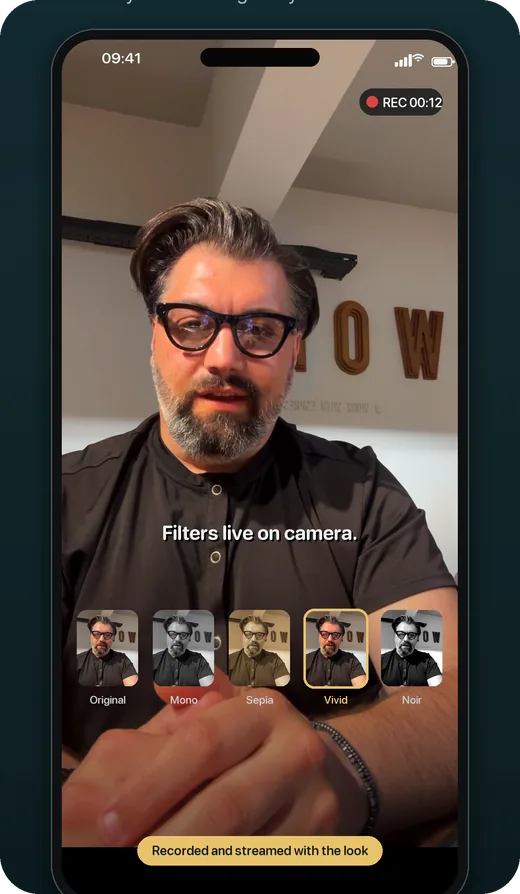
Read it on your phone
Record lesson intros on your phone with the script scrolling at the pace you set. Every take comes with an .srt subtitle file, so you can add captions when you upload the lesson.
OwlPrompter is free with no account, for up to 3 scripts, with recording, a Delivery Score and an .srt file with every take. Voice scroll (the script follows your voice) and eye-contact mode are part of Pro, and both Pro plans, monthly and yearly, start with a 7-day free trial for new subscribers.
Tips for course and lesson intros
-
Outcomes, not topics
"Mix the colours you see" tells a student what changes for them. "Colour theory" tells them what they will sit through.
-
Be honest about time
If most people need an hour a week, say an hour. Students who planned for twenty minutes drop out in week two.
-
Keep your bio to proof
One or two lines on why you can teach this. Your full background can go on a course page or an About lesson.
-
End with a task, not "let’s get started"
A ten-minute task turns watching into doing, and a student who has done something is more likely to come back for lesson one.
-
Record lesson intros in one batch
Same clothes, same light, same framing, so the course looks consistent. A prompter keeps each intro to the same shape and length.
Questions
How long should a course intro video be?
One to two minutes, which is about 140 to 280 words at 140 words per minute. Put anything longer, like a full materials list, in text under the video.
What should I say in the first lesson of an online course?
Recap what the course promised in one line, say what this lesson will let students do, then start teaching within the first minute. Save tips and housekeeping for later lessons.
Should I script every course video?
Script the course intro and the start and end of each lesson word for word. Teaching the middle from bullet points usually sounds more natural, and demonstrations often go better unscripted.
Finished your draft? Check its length in the speech timer, then rehearse it in the free online teleprompter or in the app.