Company intro video script (“about us”)
A company intro video works at 60 to 90 seconds, about 210 words for 90, and answers what a visitor to your About page wants to know: who you help, why the company exists, how you work day to day, one real example, and what to do next. Have a real person from the company say it to camera, in the first person, with no slogans. It sounds warmer than a voiceover and is easier to re-record when things change.
Target: 90 seconds, about 210 words at 140 words per minute · Example below: 174 words, about 1 min 15 s
How long it should be
At 140 words per minute, 90 seconds is 210 words. Some visitors start the video with the sound off, so make the first sentence work as a caption on its own.
If the video sits on your homepage, a 60-second cut of the same script often works better: keep who you help, how you work and the invitation.
The structure
-
Who you help (first 10 seconds)
Plainly, the way a customer would describe you to a friend.
-
Why you started
One specific moment, not a founding date. It explains why you do things the way you do.
-
How you work
Two or three practices a customer would notice. "We text you a photo of the engineer" beats "we value transparency".
-
One real story
A customer moment you have permission to tell, kept short.
-
An invitation
What a viewer in the right situation should do next.
Template
Replace everything in {braces}. Lines in [square brackets] are cues: they show faintly on the prompter and are never read or counted. Keep, change or delete them. New to the format? See how to format a teleprompter script.
[founder or team member to camera]

At {company}, we help {who you serve}
{do what, or stop dealing with what}.

I'm {name}, {role}.

[pause]

We started in {year, said as words}, after {the specific moment or problem}.

{What you decided to do about it}.

[b-roll: team at work]

Today we're {team size or setup},
and a few things haven't changed.

{How you work, one}.

{How you work, two}.

{How you work, three}.

[customer or project shot]

{A short customer story, with their permission}.

[back to camera]

If {the situation your viewer is in},
{the next step: call, book, visit}.

We'd be glad to hear from you. Tapping copies your script first. Paste it into a new script in OwlPrompter (free, no account).
Example: a family heating company
The co-founder of a small heating firm records the video for the About page in the company workshop. The bracketed shots are filmed afterwards.
[founder to camera, in the workshop]

At Calder Heating,
we fix and fit boilers for homes around Halifax,
and we tell you the price before we pick up a spanner.

I'm Amira Calder,
and I run the company with my brother, Joe.

[pause]

We started in twenty sixteen,
after our mum waited eleven days
for an engineer who never turned up.

We decided that if we ever ran a firm,
nobody would be left wondering.

[b-roll: van, team loading parts]

Today we're a team of nine,
and a few things haven't changed.

We give you a two-hour arrival window, not a whole day.

We text you a photo of your engineer before they arrive.

And if a job will cost more than we quoted,
we stop and ask you first.

[customer's kitchen]

Last winter, a customer rang us on Christmas Eve
with no heating and a newborn baby.
Joe was there within the hour,
and the house was warm by teatime.

[back to camera]

If your boiler is acting up,
or it's simply time for a service,
give us a call or book online.

We'd be glad to hear from you.
Tapping copies your script first. Paste it into a new script in OwlPrompter (free, no account).
Opening a script in the browser replaces the one saved in the online teleprompter on this device. Nothing is uploaded.
Read it on your phone
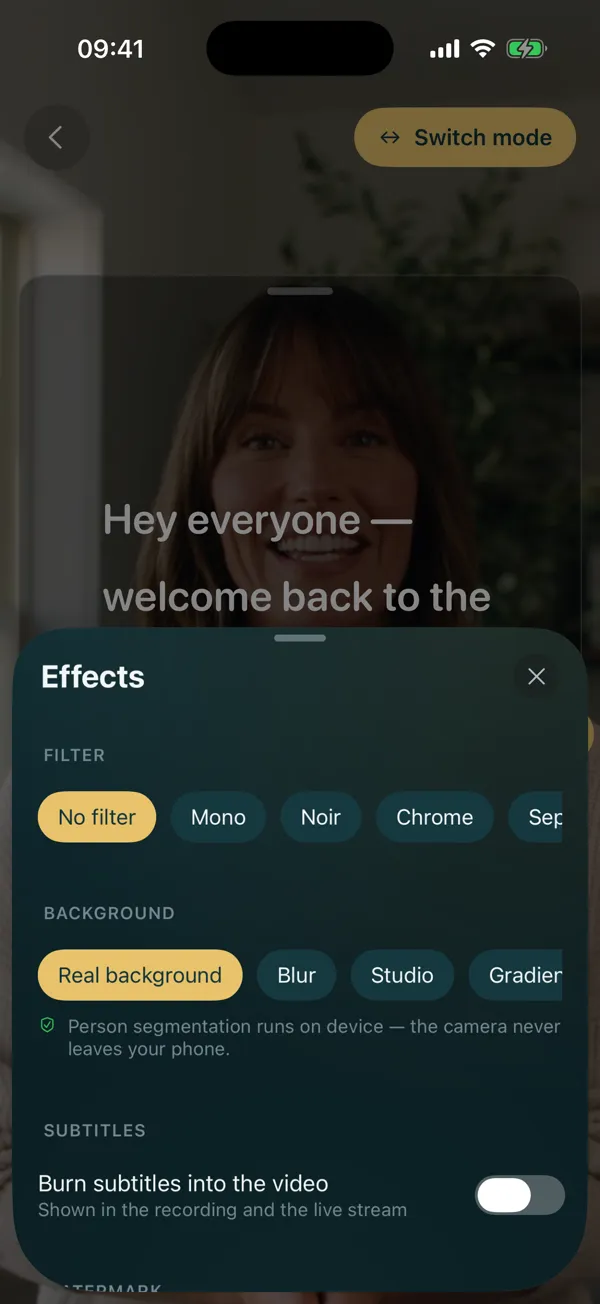
Filming at your desk or in the workshop? OwlPrompter scrolls the script next to the lens while you record on your phone, and every take comes with an .srt subtitle file you can upload with the video for captions.
OwlPrompter is free with no account, for up to 3 scripts, with recording, a Delivery Score and an .srt file with every take. Voice scroll (the script follows your voice) and eye-contact mode are part of Pro, and both Pro plans, monthly and yearly, start with a 7-day free trial for new subscribers.
Tips for an “about us” video
-
Start with the customer, not the founding date
Who you help is the first thing a visitor wants to confirm. History can wait for the second sentence.
-
Name practices, skip values
Every company says it is honest and friendly. Concrete habits, like a two-hour arrival window, are what make it believable.
-
Ask before you tell a customer story
Get permission, keep identifying details out unless they agree to them, and tell it as it happened.
-
Let the right person say it
The founder in a small company, or whoever customers actually deal with. A hired presenter can look polished but tells viewers less about who you are.
-
Shoot the to-camera lines in one sitting
Record every to-camera part with the prompter first, then the b-roll. The [b-roll] cues show your editor where to cut away, which also hides the joins between takes.
Questions
How long should a company intro video be?
60 to 90 seconds for an About page or homepage, which is about 140 to 210 words at 140 words per minute.
Who should present our company video?
Someone viewers will actually deal with: the founder in a small business, or the head of the team customers talk to. If two people share it, give each one a part rather than alternating lines.
Should the script include our company history?
One moment from it: the one that explains why you work the way you do. The full timeline belongs in text on the About page.
Finished your draft? Check its length in the speech timer, then rehearse it in the free online teleprompter or in the app.